


Website migration: Best practices and strategies for a seamless transition


TL;DR
- Website migration covers replatforming, domain changes, CMS switches, and redesigns — each carrying real SEO and performance risk if handled without a plan.
- Start with a full site audit: SEO, content, technical, and analytics baseline before any code moves.
- Use 301 redirects for every changed URL. Missing redirects are the single most common cause of post-migration traffic loss.
- Migrate in phases using a staging environment, not in one big-bang cutover.
- After launch, resubmit your XML sitemap, monitor Core Web Vitals (LCP, TTFB, INP), and watch crawl errors closely for at least 30 days.
- Have a rollback plan in place before you flip the DNS switch.
- Niteco's replatforming service covers the full migration lifecycle with fixed pricing and 24/7 delivery.
Website migration is a significant part of scaling and evolving a digital presence. Whether you're rebranding, changing platforms, or improving infrastructure, migration presents an opportunity to align your website with your broader business strategy.
Done right, it can improve website performance, improve the user experience, and support sustained business growth. Done poorly, it can cause traffic loss, broken pages, confused users, and damaged brand reputation.
That's why having a structured approach matters. This guide walks you through the best practices for website migration — what you need to know before, during, and after the move.
Pre-migration planning: Setting the stage for success
Before any code is written or content is moved, you need to understand what's working and what needs improvement. Comprehensive site audits — covering performance, SEO structure, content quality, and technical infrastructure — set the foundation for a smooth transition.
Stakeholder alignment matters just as much. Migration isn't only an IT task; it touches marketing, content, analytics, compliance, and more. Getting every team aligned on the same objectives early prevents last-minute blockers.
Resource planning is equally important: who owns what, and what tools are needed? Laying this out before the work starts keeps things moving faster when it counts. For teams considering a full platform switch, our enterprise replatforming guide cover the full decision framework.
Here's a migration checklist to help you kick off with confidence.
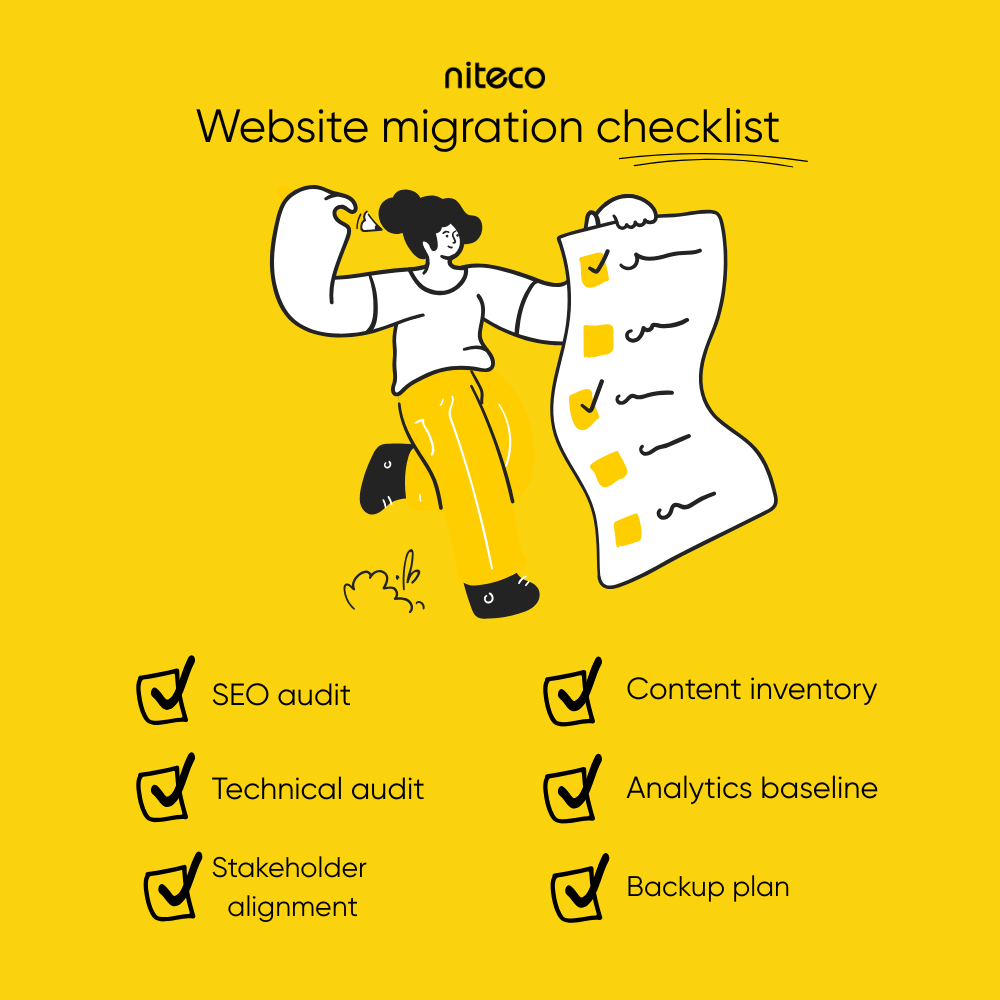
- SEO audit: Catalogue all indexed URLs, analyse backlink profiles, identify top-performing landing pages, review structured data, and document technical issues such as redirect loops, orphaned pages, duplicate content, and crawl inefficiencies.
- Content inventory: Assess content quality, search performance, conversion impact, and relevance. Decide which pages should be retained, consolidated, updated, or removed.
- Technical audit: Review Core Web Vitals, mobile responsiveness, site speed, JavaScript rendering, accessibility compliance, XML sitemaps, robots directives, and server performance.
- Analytics baseline: Export benchmark data from GA4 and Google Search Console covering sessions, conversions, rankings, engagement metrics, and assisted conversion paths. These numbers are your reference point for the first 90 days post-launch.
- Stakeholder alignment: Define responsibilities across marketing, SEO, development, legal, compliance, analytics, and infrastructure teams. Confirm budgets, timelines, governance, and approval processes.
- Backup and rollback plan: Always ensure the current site can be restored quickly if something goes wrong during or immediately after the cutover.
Technical roadmap and information architecture
Once your audits are complete, define the new site structure — how pages are organised and what URLs will look like. Keeping URLs clean, simple, and consistent makes them easier for both users and search engines to understand. If URLs are changing, set up 301 redirects from the old URLs to the new ones. This preserves SEO rankings and avoids broken links.
A major part of this planning is choosing the right CMS. The original article referenced Optimizely's SaaS CMS as a headless platform pairing well with Next.js, Nuxt, or React — this remains accurate. Optimizely CMS is now available in two delivery models: CMS (SaaS), a fully managed, automatically upgraded, versionless option built for modern headless architectures, and CMS 12/13 (PaaS), which offers greater customisation and control for teams with .NET development resources. The current latest version is CMS 13, which introduced AI-powered capabilities, a new Visual Builder, and Embedded DAM. Teams on CMS 11 should be aware that Optimizely no longer builds new functionality for that version.
On the architecture side: avoid overly deep page structures, keep navigation simple, and document any URL changes in a redirect mapping file before execution begins.
Migration execution: Minimising downtime and data loss
This phase is about moving your site while keeping things running for your users. A few practices make the difference between a clean cutover and a messy one.
- Set up a staging environment that mirrors your live site. Test layouts, links, integrations, and tracking here before anything goes public.
- Use incremental migration to move sections in phases. Start with lower-risk pages like blog posts or informational content, then move to product pages and the homepage.
- Try a private launch by releasing the new site to an internal audience first. This lets your team find and fix issues before real users encounter them.
- Schedule your DNS switch during low-traffic hours. Monitor closely as soon as the change is live.
Strong preparation is what separates a clean migration from a costly one. In Niteco's migration of Steadfast — one of Australia's largest insurance networks — from Sitecore to Optimizely, close collaboration between Niteco's technical team and Steadfast's stakeholders reduced downtime from 36 minutes to just 5, and improved average response time by 30%. The full replatform completed in eight weeks. If you're planning a similar move, Niteco's website replatforming service covers execution from planning to go-live. For teams moving off Sitecore specifically, see our Sitecore to Optimizely migration page.
Migration execution: Minimizing downtime and data loss
Execution is where preparation becomes operational reality. The objective is to migrate infrastructure, content, and integrations while maintaining uptime, performance, and data integrity.
Build a production-like staging environment
Your staging environment should replicate the live environment as closely as possible. Validate layouts, redirects, APIs, forms, analytics tracking, structured data, consent systems, and third-party integrations before launch. A broken lead form that runs undetected for two weeks after launch is a more serious problem than one caught in testing.
Use phased or incremental migration
Migrating in stages reduces operational risk. Start with lower-risk sections such as blog content or informational pages before moving business-critical sections including product catalogues, commerce functionality, or customer portals.
Conduct controlled pre-launch testing
Private launches or restricted-access releases allow internal teams to identify issues before exposing the new environment to users or search engines.
Schedule launch windows strategically
DNS cutovers and deployment activities should take place during low-traffic periods. Monitor logs, crawl activity, uptime, and server performance immediately after launch.
The most common causes of data loss during migration are broken redirects, missing media assets, disconnected integrations, and incomplete content transfers. Each one is preventable with structured QA. Run automated regression testing across your full redirect map before go-live. Every URL that changes address needs a validated 301 redirect to its closest equivalent on the new site. Chains of multiple 301 redirects dilute link equity and slow page load. Resolve these to single hops wherever possible.
Strong preparation is key to a successful migration. In our migration from Sitecore to Optimizely for Steadfast, one of Australia's largest insurance networks, close collaboration between our technical team and Steadfast's internal stakeholders ensured full alignment at every stage. The result was a seamless migration, with downtime reduced from 36 minutes to just 5, and average response time improved by 30%.
Post-migration optimization and monitoring
What you do after launch matters as much as the preparation. The goal at this stage is to confirm everything transferred correctly, that search engines are indexing your new pages, and that site performance is where it should be.
Start with SEO housekeeping. Resubmit your XML sitemap to Google Search Console so crawlers can find your updated content quickly. Watch for crawl errors and confirm that key pages are being properly indexed.
On performance: run a fresh round of benchmarking using Niteco Performance Insights and compare the results against your pre-migration baseline. Focus on Core Web Vitals — specifically LCP (Largest Contentful Paint), TTFB (Time to First Byte), and INP (Interaction to Next Paint), which replaced FID as a Core Web Vital in March 2024. All three directly affect both user experience and organic search rankings.
Mitigating risks: Contingency planning and rollback protocols
Even with careful planning, things can go off track. Having a contingency plan in place before launch means you can respond quickly rather than scrambling.
Start with disaster recovery strategies. You may not need a full rollback — partial rollbacks can reduce impact if specific sections don't behave as expected. Back up both content and code, keep version control clean, and have monitoring in place to alert you the moment something breaks. Fallback redirects should cover any unexpected gaps in your URL mapping.
Legal and compliance considerations are just as important. If you operate across multiple regions, confirm that your data storage complies with local privacy laws like GDPR or CCPA. The EU's European Accessibility Act (EAA) came into force on 28 June 2025, requiring websites and apps serving EU customers to meet accessibility standards. Run accessibility audits to ensure your new site meets WCAG 2.2 — now the current W3C standard, formalised as ISO/IEC 40500:2025 in October 2025 — rather than the older WCAG 2.1 referenced in previous guidance. Also revalidate licences for any third-party content or assets you're using.

Enhancing user experience post-migration
Migration should improve more than infrastructure alone. It should also create a better user experience for the people who actually use the site.
Start by reviewing navigation and usability:
- Can users quickly find key information?
- Are conversion paths intuitive and friction-free?
- Does mobile navigation remain efficient?
- Are accessibility standards maintained across the new templates?
User behaviour analysis tools such as heatmaps, session recordings, and usability testing provide valuable insight into how real users interact with the new experience. A/B testing can help refine navigation layouts, product page structures, calls to action, content hierarchy, form experiences, and search functionality.
Even small UX improvements can produce measurable gains in engagement, lead generation, and conversion performance when backed by behavioural data rather than assumption.
SEO considerations: Don’t lose what you’ve built
Preserving SEO equity is one of the highest-stakes parts of any migration. Research into domain migrations has found average traffic recovery times can extend well beyond six months, with some sites never recovering. A study of 892 domain migrations put average recovery at around 523 days, and 17% of sites in the dataset showed no recovery at all. The most common cause is not the platform change itself — it's incomplete or chained redirect maps. For teams migrating across regions or markets, generative engine optimisation (GEO) is increasingly relevant as AI search surfaces rely on structured data to surface and cite content.
Start by identifying your highest-performing URLs. Try to retain them wherever possible. If structural changes make that unavoidable, implement 301 redirects to guide users and search engines to the new locations.
Also migrate key SEO elements — page titles, meta descriptions, headers, structured data. Consistency matters: even small discrepancies in how metadata is applied can cause ranking drops or indexing delays.
Internal links help search engines understand your site structure and distribute page authority. Update them to reflect any new URL paths. For a complete breakdown of SEO tasks to handle before migration, see our site migration SEO checklist.
One risk area that has grown in importance since 2024: AI search optimisation. Search engines like Google AI Overviews, Perplexity, and ChatGPT rely on structured data (Product, Article, FAQ, HowTo, BreadcrumbList) to cite content in AI-generated answers. If structured data is lost or broken during migration, you may lose AI citation share — a metric that SEO teams are increasingly tracking alongside organic traffic. Audit your schema markup as part of pre- and post-migration testing.
For teams considering a full platform change as part of their migration, our article on common pitfalls in website replatforming covers the mistakes most teams make during CMS transitions.
Enhancing user experience post-migration
Beyond technical improvements, a successful migration should also improve the user experience. Evaluate your site's navigation: is it intuitive? Can users find what they're looking for? If the structure or layout changed during migration, confirm it still matches your users' expectations.
A/B testing can help you refine these changes. Test different versions of your menu layout, product page design, or calls to action. Small, data-backed design changes can produce measurable improvements in engagement and conversions.
Feedback loops matter too. Tools like heatmaps, user surveys, and session recordings give you real-world insight into how people interact with the new site — surfacing pain points that analytics dashboards alone won't catch.
Conclusion
Website migration is a technical exercise with significant business consequences. The phases covered in this guide — auditing, architecture planning, execution, risk management, SEO continuity, and UX improvement — are not independent steps. They compound. A missed redirect can undo months of SEO work. A broken tracking tag means you can't measure what happened. A missed backup means a failed rollback is a genuine risk.
The most successful migrations are planned in detail, executed in phases, and monitored closely after launch. With Niteco, your migration is handled with fixed pricing, a defined timeline, and a team that has done this across multiple platforms and verticals.
Thinking about a website migration? Contact Niteco to discuss your project.
Frequently Asked Questions
Website migration refers to any significant change to a site's structure, platform, location, or content that affects how search engines and users interact with it. The most common types are: domain migration (moving to a new URL or domain), CMS replatforming (switching from one content management system to another), redesigns that restructure URLs or page templates, and server or hosting migrations. Each carries different levels of SEO and performance risk, which is why they require different preparation approaches.
It depends heavily on site size, complexity, and how much content needs to move. A focused replatform for a mid-size site can complete in as little as eight weeks — Niteco's migration of Steadfast from Sitecore to Optimizely is a documented example of that. Larger, multi-region sites with complex integrations may take six months or more to plan and execute properly. The planning phase — audits, redirect mapping, stakeholder alignment — typically takes as long as the execution itself, and cutting it short is the most common cause of delays and problems post-launch.
The single most important step is a complete 1:1 redirect map — every old URL should have a corresponding 301 redirect to its new location, with no chains or loops. Beyond that: preserve URL structures wherever possible, migrate all metadata (titles, descriptions, headers, structured data), resubmit your sitemap to Google Search Console after launch, and monitor crawl errors and rankings closely for at least 30 days. Having an analytics baseline captured before migration lets you identify exactly which pages lost traffic and why. Our site migration SEO checklist covers the full pre- and post-migration task list.
Website migration is the broader term — it covers any significant move or change to a site, including domain changes, hosting moves, and redesigns. Replatforming is a specific type of migration where you switch from one CMS or technology platform to another, for example from Sitecore to Optimizely, or from a custom-built system to a modern DXP. Replatforming typically involves more technical complexity because it requires moving both content and integrations, and often restructuring the site architecture at the same time. Our guide to website replatforming covers when it makes sense and what to watch out for.
As of 2025, WCAG 2.2 is the current W3C accessibility standard, formalised as ISO/IEC 40500:2025. If your site serves users in the EU, the European Accessibility Act (EAA) — which came into force on 28 June 2025 — requires websites and digital services to meet accessibility requirements. Run an accessibility audit as part of your post-migration testing, checking for keyboard navigation, focus visibility, touch target sizes, and authentication accessibility (all areas addressed by the nine new WCAG 2.2 success criteria). Meeting WCAG 2.2 AA also means you automatically meet the older WCAG 2.1 and 2.0 standards, since the versions are backward compatible.
There are three Core Web Vitals: LCP (Largest Contentful Paint), which measures how quickly the main content loads; INP (Interaction to Next Paint), which measures responsiveness to user interactions; and TTFB (Time to First Byte), which measures server response time. Note that INP replaced FID (First Input Delay) as an official Core Web Vital in March 2024 — any guidance referencing FID as a current metric is outdated. After migration, benchmark each metric against your pre-migration scores using a tool like Niteco Performance Insights and monitor for regressions, especially if you changed your hosting infrastructure or CDN configuration.
Both are valid options with different trade-offs. Optimizely CMS (SaaS) is fully managed and automatically upgraded by Optimizely, making it a strong choice for teams that want to avoid version maintenance overhead and want to build on modern headless frameworks like Next.js or Nuxt. CMS (PaaS) — currently at version 13 — offers more customisation and control, which suits teams with dedicated .NET development resources and complex integration requirements. Optimizely no longer builds new functionality for CMS 11 or earlier, so teams on those versions should prioritise upgrading. Niteco has delivered both SaaS and PaaS migrations — see our Optimizely partnership page for more detail.